Introduction
Manual accounting may feel manageable when your business is small. A few invoices, a basic expense sheet, some bank transactions, and monthly reports prepared by your accountant can be enough in the beginning. But as your business grows, the same Excel-based process that once felt simple can quickly become one of the biggest operational risks in your company.
For many Egyptian SMEs, Excel is still the first accounting tool. It is familiar, flexible, and easy to start with. Business owners understand it. Accountants know how to work with it. Finance teams can create custom sheets for almost anything.
But Excel was not designed to be a controlled accounting system.
As transaction volume increases, manual accounting becomes harder to manage. Sales increase. Expenses multiply. Bank transactions become more complex. Tax reporting becomes more demanding. Approvals require more people. Reports take longer to prepare. At that point, accounting is no longer just about recording numbers. It becomes about control, visibility, compliance, and decision-making.
This is where Zoho Books becomes a stronger option. Instead of depending on scattered spreadsheets and manual updates, Zoho Books gives businesses a structured cloud accounting software platform where invoices, bills, expenses, reconciliation, reports, approvals, and tax-related workflows can be managed in one system.
The question is not whether Excel is useful. It is. The real question is whether Excel should remain the main accounting system as your business grows.
Why Businesses Start with Excel for Accounting
Most businesses start with Excel because it is accessible and flexible. There is no major setup required, and finance teams can quickly create sheets for invoices, expenses, cash flow, payroll summaries, or tax calculations.
For a small business, this can work for a while.
A basic Excel setup may include:
- Sales invoices
- Supplier bills
- Expense tracking
- Cash and bank movements
- Monthly summaries
- Simple tax calculations
- Profit and loss reports
The problem starts when the business depends on Excel not just for calculations, but as the official accounting workflow.
Once Excel becomes the place where financial data is entered, edited, approved, corrected, and reported, the business becomes exposed to several risks.
There is usually no reliable audit trail. Different versions of the same file may exist. Formula errors can go unnoticed. Approvals happen outside the system. Reports depend on manual updates. And business owners may only discover problems after the month is already closed.
Excel can support accounting analysis, but it should not carry the full responsibility of accounting operations for a growing business.
The Main Excel Accounting Risks

The biggest problem with Excel accounting is that mistakes are easy to make and hard to detect.
A wrong formula, deleted row, copied value, missing invoice, or outdated file can affect financial reports without anyone noticing immediately. In accounting, small errors can create large consequences.
Here are the most common Excel accounting risks growing businesses face.
Manual Data Entry Errors
Every manual entry creates a chance for error.
An accountant may enter the wrong amount, duplicate an invoice, forget a supplier bill, or copy data into the wrong column. These mistakes are common because Excel depends on people maintaining accuracy across every transaction.
As transaction volume grows, this becomes harder to control.
Broken Formulas
Excel reports often depend on formulas that link multiple sheets together. If a formula is changed, deleted, or not extended properly to new rows, the report may look correct while producing inaccurate results.
The danger is that formula errors are not always visible.
Version Control Problems
Many finance teams share Excel files through email, local folders, or cloud drives. Over time, multiple versions appear.
One person updates one version. Another person works on an older file. A manager reviews a different copy.
This creates confusion and weakens trust in financial numbers.
No Strong Approval Workflow
Accounting is not only about recording transactions. It also requires approvals.
Expenses, supplier bills, discounts, payments, and adjustments often need review before they are finalized. In Excel, approvals usually happen through email, WhatsApp, or verbal confirmation.
This makes it difficult to track who approved what, when, and why.
Delayed Reports Create Delayed Decisions

One of the biggest problems with manual accounting is delayed reporting.
Many business owners only receive accurate financial reports after the accountant closes the month. By then, the information may already be too late to support urgent decisions.
A business owner may need to know:
- Are we profitable this month?
- Which customers have overdue payments?
- How much cash is available?
- Which expenses are increasing?
- Are we collecting money fast enough?
- Which branch, project, or department is underperforming?
When reports depend on manual Excel updates, the answer often takes time.
This delay affects decision-making. Owners and managers end up making decisions based on incomplete information, old reports, or assumptions.
A proper financial reporting software setup gives the business faster access to financial visibility. Instead of waiting for someone to prepare reports manually, decision-makers can review dashboards, statements, receivables, payables, and cash flow more consistently.
Zoho Books helps businesses move from delayed reporting to more structured, real-time financial visibility.
Why Manual Reconciliation Becomes a Problem
Bank reconciliation is one of the most important accounting tasks. It ensures that accounting records match actual bank activity.
In Excel-based accounting, reconciliation is usually manual. Accountants compare bank statements with recorded transactions, identify differences, update missing entries, and adjust reports.
This process becomes time-consuming as the number of transactions increases.
Manual reconciliation can create problems such as:
- Missed payments
- Duplicate transactions
- Unmatched bank deposits
- Delayed month-end closing
- Incorrect cash balance
- Weak visibility over receivables and payables
When reconciliation takes too long, finance teams spend more time fixing records than analyzing financial performance.
Zoho Books helps reduce this burden by giving businesses a more structured reconciliation workflow. Transactions can be reviewed, matched, categorized, and tracked inside one accounting system instead of being managed across different sheets.
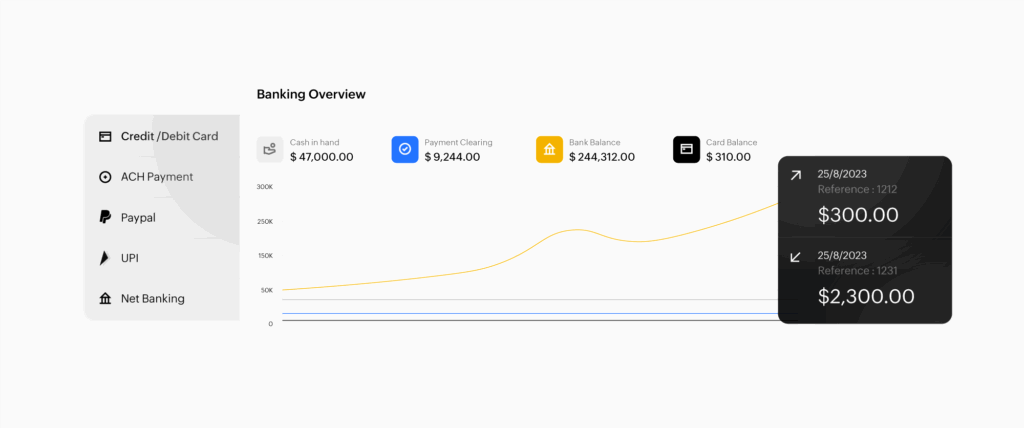
This does not only save time. It improves financial control.
Tax Reporting and Compliance Pressure
As businesses grow, tax reporting becomes more important and more sensitive.
Manual accounting increases the risk of missing, misclassifying, or incorrectly calculating tax-related transactions. For Egyptian SMEs, this can create pressure around invoices, receipts, VAT, WHT, supporting documents, and financial records.
The problem is not only preparing tax reports. The problem is whether the data behind those reports is complete, consistent, and easy to review.
If invoices are in one sheet, expenses are in another, receipts are stored manually, and tax calculations are adjusted outside the main file, the accounting team must spend extra time validating everything before submission or review.
A cloud accounting software system like Zoho Books helps structure financial data from the beginning.
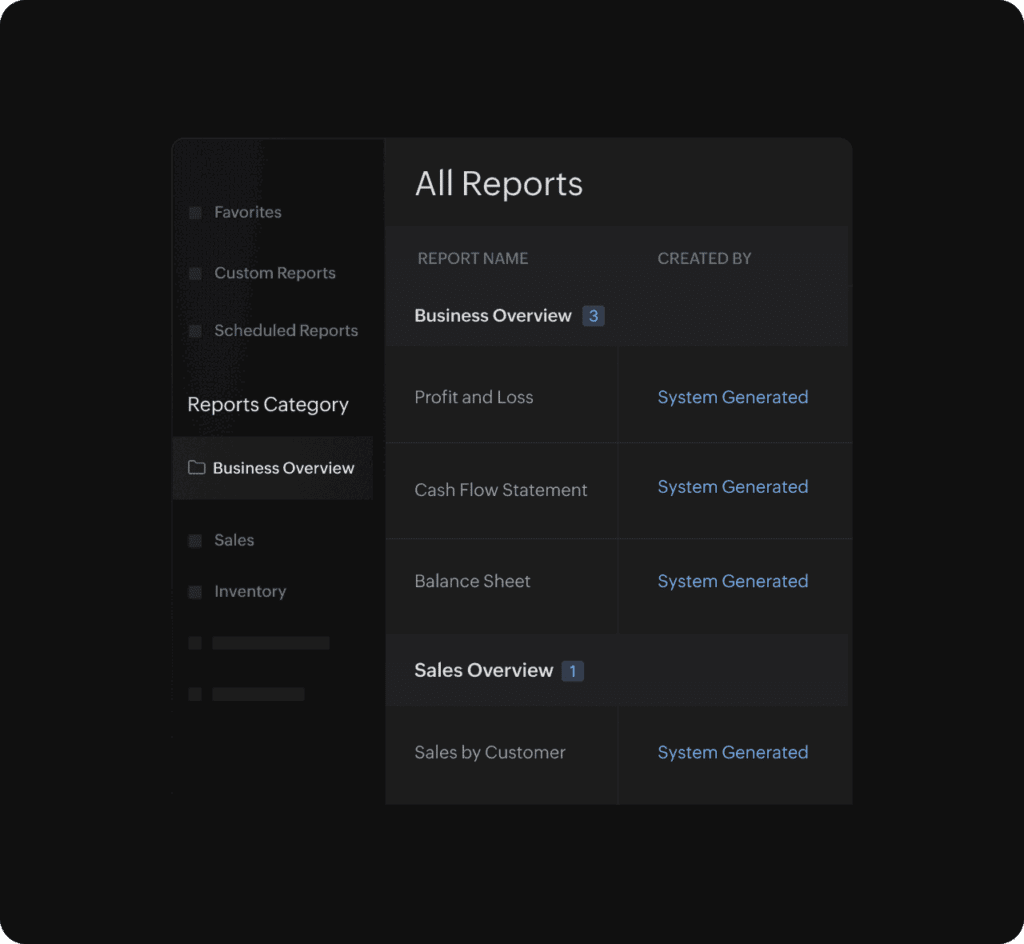
Instead of building reports manually at the end of the period, businesses can record transactions in a more organized way throughout the month. This improves readiness for reporting and reduces last-minute accounting pressure.
For finance managers, this means fewer manual checks and stronger confidence in the numbers.
Approval Cycles Need More Than WhatsApp and Email
Many companies approve expenses, bills, payments, and discounts through WhatsApp messages or email threads.
This may feel fast, but it creates weak control.
When approvals happen outside the accounting system, it becomes difficult to answer basic questions:
- Who approved this expense?
- Was the supplier bill reviewed?
- Was the payment authorized?
- Why was this discount applied?
- Was this adjustment checked by finance?
As the business grows, informal approvals become risky.
Zoho Books supports approval workflows that help finance teams control accounting actions more clearly. Instead of relying on scattered messages, businesses can define approval steps and keep financial decisions inside the system.
This creates accountability, it also helps owners and managers maintain control without slowing down daily work.
How Zoho Books Replaces Manual Accounting with Control
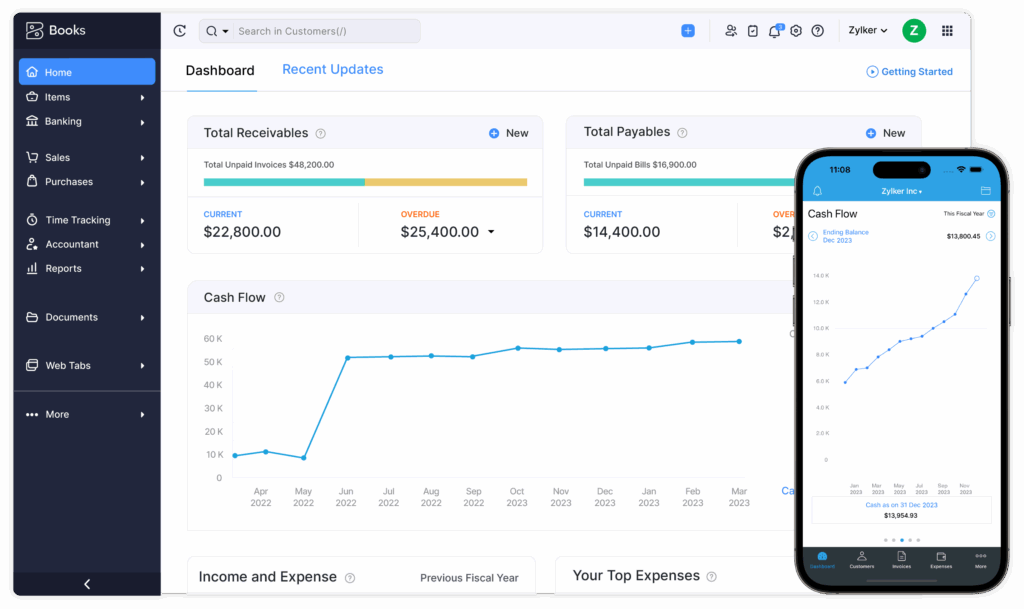
Zoho Books is not just a digital version of Excel. It is a cloud accounting software platform designed to manage accounting workflows in a more structured way.
It helps businesses manage:
- Customer invoices
- Supplier bills
- Expenses
- Payments
- Bank reconciliation
- Recurring transactions
- Approval workflows
- Financial reports
- Cash flow visibility
- Tax-related records
- Dashboards and statements
The main advantage is that financial activities become connected.
An invoice is no longer just a row in a spreadsheet. It becomes part of a complete workflow: customer record, due date, payment status, tax treatment, reporting, and cash flow.
An expense is no longer just a number. It can be categorized, reviewed, approved, and reflected in financial reports.
A bank transaction is no longer checked manually across multiple files. It can be reconciled inside the accounting system.
This is the difference between manual accounting and controlled accounting.
Zoho Books vs Excel: Practical Comparison
Excel and Zoho Books serve different purposes. Excel is useful for analysis, modeling, and custom calculations. Zoho Books is designed to manage accounting operations.
Here is a practical comparison.
| Area | Excel Accounting | Zoho Books |
|---|---|---|
| Data entry | Manual and error-prone | Structured transaction entry |
| Reports | Prepared manually | Generated from system data |
| Reconciliation | Manual matching | Organized reconciliation workflow |
| Approvals | Email, WhatsApp, or verbal | Workflow-based approvals |
| Audit trail | Limited | Clearer transaction history |
| Collaboration | Version control issues | Multi-user access with roles |
| Tax readiness | Depends on manual preparation | More organized records and reports |
| Scalability | Becomes harder with growth | Built to support growing transaction volume |
This does not mean Excel should disappear completely. Many finance teams will still use Excel for custom analysis. But the main accounting workflow should live inside a system built for control, reporting, and accountability.
Why Business Owners Need Live Financial Visibility
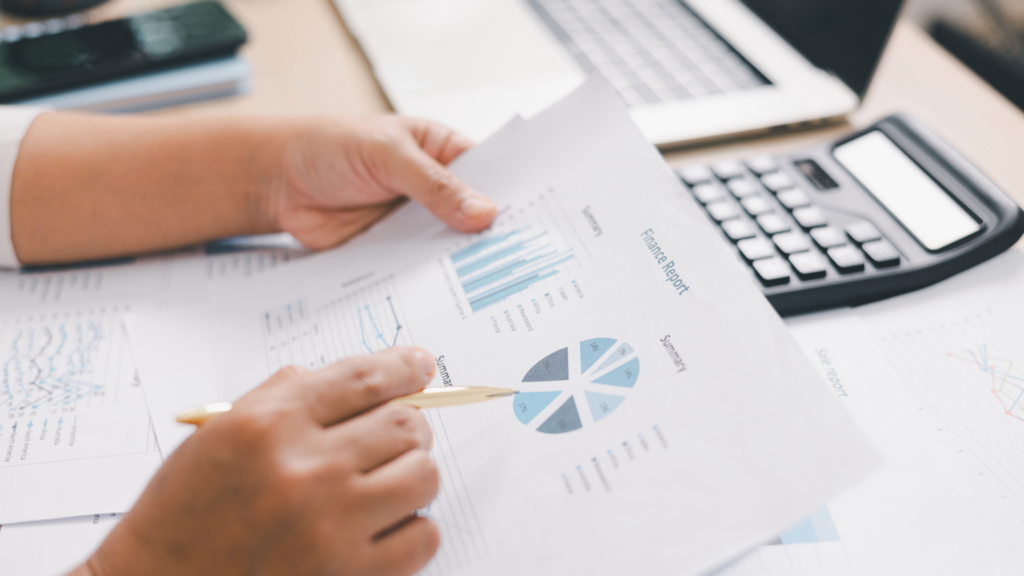
Business owners do not only need accounting records. They need answers.
They need to know whether the business is healthy, whether cash flow is under control, whether customers are paying on time, and whether expenses are increasing faster than revenue.
Manual accounting makes these answers slower.
Zoho Books helps owners and finance managers access clearer financial visibility without waiting for every report to be built manually.
This supports better decisions around:
- Spending
- Hiring
- Purchasing
- Pricing
- Collections
- Expansion
- Cost control
When financial data is organized, decisions become faster and more confident.
Why Accountants Benefit from Accounting Automation
Accounting automation is not about replacing accountants. It is about removing repetitive manual work so accountants can focus on higher-value tasks.
Instead of spending hours copying data, checking formulas, matching transactions, and preparing reports manually, accountants can focus on review, analysis, compliance, and financial guidance.
Zoho Books helps automate and structure repetitive accounting tasks such as recurring invoices, payment reminders, transaction categorization, approvals, and reporting workflows.
For accountants, this means less pressure during month-end closing and fewer manual errors throughout the month.
For the business, it means stronger financial discipline.
When Should a Business Move from Excel to Zoho Books?
A business should consider moving from Excel to Zoho Books when accounting starts becoming difficult to control.
Common signs include:
- Reports are always delayed.
- Bank reconciliation takes too long.
- Different people use different versions of the same file.
- Tax reporting requires too much manual preparation.
- Expenses and bills are approved outside the accounting process.
- The owner cannot see cash flow clearly.
- The accountant spends more time fixing sheets than reviewing numbers.
- Month-end closing is stressful every month.
These signs usually mean the business has outgrown manual accounting.
Moving to Zoho Books helps the company create a more scalable accounting workflow before the risks become more expensive.
Why PyramidBITS for Zoho Books Implementation?
Choosing Zoho Books is only the first step. The real value comes from implementing it around the way your business actually works.
PyramidBITS, as Zoho’s Advanced Partner, helps Egyptian SMEs move from Excel-based accounting to a structured Zoho Books setup that supports real workflows, not generic templates.
This includes:
- Reviewing the current accounting process
- Setting up the Chart of Accounts
- Configuring invoices and bills
- Structuring approval cycles
- Setting up bank reconciliation workflows
- Preparing financial reports
- Automating recurring tasks
- Training finance teams
- Supporting post-launch adoption
The goal is not only to use new software. The goal is to build a controlled accounting system that reduces manual work, improves visibility, and supports business growth.
FAQs About Zoho Books and Manual Accounting
Is Excel enough for small business accounting?
Excel can work for very small businesses with limited transactions. However, as the business grows, Excel becomes risky because of manual errors, delayed reports, version control problems, and weak approval tracking.
What are the biggest Excel accounting risks?
The biggest risks include manual data entry errors, broken formulas, duplicate files, delayed reporting, weak audit trails, and difficulty managing approvals.
How does Zoho Books reduce manual accounting?
Zoho Books reduces manual accounting by organizing invoices, bills, expenses, reconciliation, reports, approvals, and financial workflows inside one cloud accounting software platform.
Is Zoho Books cloud accounting software?
Yes. Zoho Books is cloud accounting software, which means authorized users can access accounting data online and collaborate through a centralized system.
Can Zoho Books help with financial reporting?
Yes. Zoho Books provides financial reporting tools that help businesses review profit and loss, cash flow, receivables, payables, and other key financial reports.
Should accountants stop using Excel completely?
Not necessarily. Excel can still be useful for custom analysis, but it should not be the main accounting system for a growing business. Zoho Books can become the controlled system of record, while Excel can support additional analysis when needed.
Conclusion
Manual accounting may look simple at the beginning, but it becomes risky as the business grows. More transactions, more approvals, more tax requirements, and more reporting needs make Excel harder to control.
The main risk is not only making mistakes. The bigger risk is making business decisions based on delayed, incomplete, or inaccurate numbers.
Zoho Books gives growing businesses a more structured way to manage accounting. It helps finance teams reduce manual work, improve reconciliation, organize tax-related records, automate approvals, and access financial reports faster.
For owners and accountants still relying on Excel, moving to Zoho Books is not just a software upgrade. It is a move toward better financial control.
Ready to Replace Manual Accounting with a Controlled System?
If your accounting process still depends on Excel, manual reconciliation, and delayed reports, now is the right time to move to a more controlled accounting workflow.
PyramidBITS helps Egyptian SMEs implement Zoho Books around their real accounting process, from invoices and expenses to reconciliation, reports, and approvals.