Zoho Workplace is becoming a practical choice for Egyptian companies that want to reduce yearly email and collaboration costs without losing the core tools their teams use every day: business email, files, documents, meetings, calendars, and team communication.
For many companies, the decision to switch starts at renewal time. The finance team reviews the yearly cost of Google Workspace or Microsoft 365, the number of users, the exchange rate impact, and the real usage across the team. Then the same question appears: are we paying more than we need for email and collaboration?
But switching platforms is not only a pricing decision.
For most businesses, email is critical. Files matter. Calendars matter. User access matters. Downtime is not acceptable. Teams need to continue working without confusion. That is why Zoho Workplace migration should be planned carefully, especially for companies moving from Google Workspace or Microsoft 365.
A successful migration is not just about moving mailboxes. It is about moving the team to a new workplace suite with the least possible disruption.
Zoho Workplace brings mail, chat, files, office tools, meetings, and more into one productivity and collaboration suite. Zoho’s official Workplace page positions it as a unified suite that combines email, messaging, files, office apps, and meetings in one place.
For Egyptian companies, the value becomes stronger when the migration is handled with local implementation support, EGP billing options, tax invoice documentation, user training, and a clear cost comparison against the current setup.
Why Egyptian Companies Consider Moving to Zoho Workplace
Most Egyptian companies do not move from Google Workspace or Microsoft 365 because those platforms are weak. They move because the business case changes.
A company may start with Google or Microsoft when the team is small. Over time, the number of users grows, storage needs increase, and yearly renewal costs become heavier. Some users may need the full suite, while others only need email, basic files, calendar, and meetings.
At that point, the company starts asking better questions:
- Are all users using the full value of their current license?
- Are we paying in foreign currency?
- Is renewal becoming more expensive every year?
- Do we need local billing and a tax invoice?
- Can we reduce cost without losing business email?
- Can our team still use email, files, meetings, and documents smoothly?
For many SMEs, Zoho Workplace offers a more cost-conscious alternative. It covers the essential daily workflow while giving companies a chance to reduce unnecessary software spending.
This makes it a strong option for businesses looking for a Google Workspace alternative or Microsoft 365 alternative in Egypt.
What Is Included in Zoho Workplace?
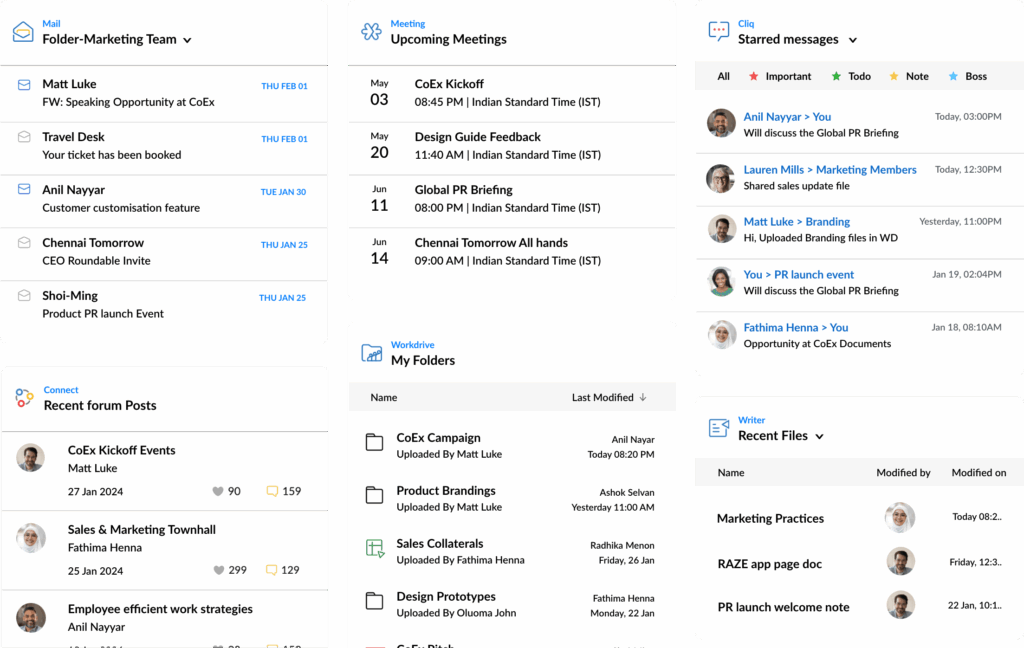
Zoho Workplace is not just Zoho Mail. It is a full workplace suite that brings communication, collaboration, and productivity tools together.
Depending on the selected plan, the Zoho Workplace ecosystem can include:
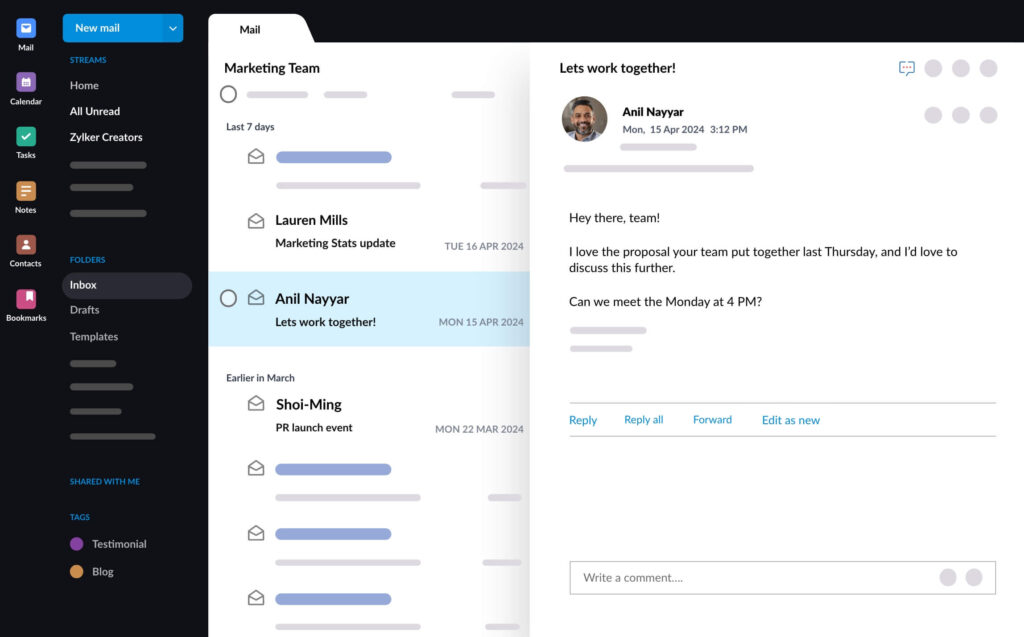
- Zoho Mail for business email
- Zoho Calendar for scheduling
- Zoho WorkDrive for team file storage
- Zoho Writer for documents
- Zoho Sheet for spreadsheets
- Zoho Show for presentations
- Zoho Meeting for online meetings
- Zoho Cliq for team chat
- Admin controls and user management
This is important because many businesses first think about email migration only. But the real value is moving to a connected workplace suite where the team can email, store files, collaborate on documents, hold meetings, and communicate internally from one ecosystem.
For companies already using or planning to use Zoho CRM, Zoho Books, Zoho Desk, or Zoho HR, Zoho Workplace can also fit naturally into the wider Zoho environment.
The Main Concerns Before a Zoho Workplace Migration
Before switching from Google Workspace or Microsoft 365, most businesses have similar concerns, these concerns are valid. Email and workplace tools are used every day, so migration must be planned carefully.
The most common questions are:
- Will old emails be migrated?
- What happens to contacts and calendars?
- Can we move users without losing access?
- Will there be downtime?
- What happens to files in Google Drive, OneDrive, or SharePoint?
- How much storage will each user need?
- Will the new system be secure?
- How fast can the team learn the new tools?
- Will the migration actually reduce cost?
The answer depends on the current setup, number of users, mailbox size, file structure, security requirements, and migration plan.
That is why a proper assessment should happen before migration begins.
Email Migration: Moving Mailboxes Without Losing History

Email is usually the most sensitive part of the migration.
When a company decides to move to Zoho Workplace, old emails must be handled carefully. Employees often need access to previous conversations, attachments, folders, contacts, and calendars.
Zoho Mail provides migration options for both Google Workspace and Microsoft 365. Zoho’s official documentation explains that one-click migration is available for Google Workspace and Microsoft 365, allowing administrators to authorize Zoho to access email, contacts, and calendar data from the previous provider.
For Google Workspace, Zoho’s documentation explains that migration can include Google Workspace users, email, contacts, and calendar data, with authorization required from the Google Workspace side.
For Microsoft 365, Zoho states that one-click migration can migrate mail, contacts, and calendar data from Microsoft 365 accounts to Zoho Mail, with user accounts created in Zoho Mail before adding the migration.
This means the process can be structured, but it still needs planning.
A good business email migration plan should identify:
- Number of users
- Mailbox sizes
- Required date range for old emails
- Folder structure
- Contacts and calendars
- Shared mailboxes
- Aliases and groups
- DNS records
- Cutover timing
- Backup and validation steps
The goal is to make sure the business does not lose important communication history during the move.
Migrating from Microsoft 365 to Zoho Workplace
Companies that want to migrate from Microsoft 365 to Zoho usually need to consider more than email.
Microsoft 365 often includes Outlook, Exchange, OneDrive, SharePoint, Teams, Word, Excel, and PowerPoint. Some companies use all of these deeply. Others mainly use Outlook email, basic files, and Teams meetings.
Before migration, the business should review actual usage.
Important questions include:
- Are users mainly using Outlook email?
- Are files stored in OneDrive or SharePoint?
- Is Teams used for meetings only, or for structured collaboration?
- Do employees depend heavily on desktop Excel or Word?
- Are there shared mailboxes or distribution lists?
- Are there compliance or retention requirements?
If Microsoft 365 is deeply embedded in the company’s operations, migration should be phased carefully. But if the team mostly uses email, files, meetings, and basic documents, moving to Zoho Workplace may be much simpler.
Zoho’s Microsoft 365 migration guidance explains that administrators can select Office 365 as the source, enter migration details, and select the data to migrate.
For Egyptian companies, PyramidBITS can help review the current Microsoft 365 setup, decide which users and data should move, and plan the migration in a way that reduces disruption.
Migrating from Google Workspace to Zoho Workplace
For companies moving from Google Workspace, the migration usually involves Gmail, Google Contacts, Google Calendar, and possibly Google Drive files.
Google Workspace is very familiar for many teams, so change management matters. Employees may already be used to Gmail, Google Drive, Google Docs, Google Sheets, and Google Meet.
A Zoho Workplace migration should therefore cover both the technical side and the user adoption side.
Zoho’s Google Workspace migration page describes a migration process that includes entering migration details, authenticating the Google Workspace account, selecting users, choosing folders, and setting a date range for emails.
This makes planning easier, but the company still needs to prepare:
- User list
- Mailbox priority
- Email history requirements
- File structure
- Shared folders
- Calendars
- Training sessions
- Go-live communication
The smoother the preparation, the easier the migration.
What About Files and Storage?

Email is not the only thing that needs attention. Many teams store important work in Google Drive, OneDrive, or SharePoint. These files may include contracts, finance sheets, presentations, HR documents, client files, and internal reports.
Before moving to Zoho Workplace, companies should review:
- Where files are stored
- Which folders are shared
- Who owns the files
- Which files are still active
- Which files are archived
- How much storage is used
- Which teams need access
- Whether permissions need restructuring
Zoho WorkDrive can become the new central file storage environment inside Zoho Workplace. But file migration should not be treated as a simple bulk copy. It is also a chance to clean the structure.
Many companies have years of duplicated files, old folders, unclear permissions, and outdated documents. Migration is a good opportunity to reorganize team folders and access rights instead of moving old chaos into a new system.
How to Reduce Downtime During Email Migration Egypt Projects
For any email migration project, downtime is one of the biggest concerns, businesses cannot afford a full day where employees cannot send or receive emails. A well-planned migration reduces this risk by preparing the system before the final switch.
Key steps include:
- Creating users before migration
- Testing a sample mailbox first
- Validating DNS records
- Planning the cutover outside peak working hours
- Keeping the old system accessible during transition where possible
- Communicating the migration timeline to employees
- Testing inbound and outbound email after go-live
- Monitoring issues immediately after launch
The most sensitive moment is usually the DNS switch, where email routing moves from the old provider to Zoho Mail, this should not be done randomly during a busy working day.
A proper partner will plan timing, test the setup, and prepare rollback or support steps if needed.
Security and Admin Control
Security is another major concern when moving workplace platforms.
Business email holds contracts, financial information, client communication, HR messages, and sensitive internal discussions. File storage may include even more confidential data.
Before migration, companies should review security settings such as:
- User access
- Password policies
- Two-factor authentication
- Admin roles
- Email routing
- Spam protection
- Shared mailbox access
- File permissions
- Device access
- Data backup policies
Zoho Workplace provides admin controls for managing users, access, and workplace tools. However, security depends on proper configuration.
A weak setup can create risk even if the platform is strong.
That is why PyramidBITS treats migration as an implementation project, not a simple account transfer. The goal is to help the company move safely, configure access properly, and train admins on how to manage the new environment.
User Training: The Part Many Companies Forget
Many migrations fail not because the software is bad, but because users are not prepared.
Employees may ask:
- Where do I check my email?
- How do I access old messages?
- Where are my files?
- How do I join meetings?
- How do I share documents?
- How do I use the mobile app?
- What changed from Gmail or Outlook?
If these questions are not handled early, the migration creates frustration.
Training does not need to be complicated. It should be practical.
For most teams, training should cover:
- Zoho Mail basics
- Calendar usage
- WorkDrive file access
- Sharing documents
- Joining meetings
- Using mobile apps
- Password and security settings
- Who to contact for support
A short guided session can make a major difference in adoption.
Migration is not complete when the data moves. It is complete when the team can work confidently in the new system.
How Zoho Workplace Can Reduce Yearly Cost
Cost saving is often the reason companies first consider Zoho Workplace.
Egyptian businesses are especially sensitive to yearly renewal costs when pricing is affected by foreign currency payments, user growth, and plan upgrades.
Zoho Workplace can help reduce yearly cost in several ways:
- Lower-cost workplace suite options
- Better matching between user needs and plan selection
- Avoiding overpaying for advanced features not used by all employees
- Combining email, files, meetings, and documents in one suite
- Local commercial support through PyramidBITS
- EGP billing options and tax invoice documentation depending on the commercial setup
The right way to evaluate saving is not by comparing one license price only.
Companies should compare the total yearly cost of the current setup against the proposed Zoho Workplace setup, including:
- Number of users
- Current plans
- Actual usage
- Storage needs
- Add-ons
- Currency/payment impact
- Migration effort
- Training and support
- Renewal terms
This gives a clearer business case.
For many SMEs, the saving becomes more visible when the company has many users who only need core email and collaboration tools.
A Practical Zoho Workplace Migration Checklist
Before moving from Google Workspace or Microsoft 365 to Zoho Workplace, Egyptian companies should follow a clear checklist.
Review Current Usage
Identify how the team currently uses email, files, meetings, calendars, and documents.
Audit Users
List active users, inactive users, aliases, shared mailboxes, groups, and departments.
Check Mailbox Sizes
Understand how much email history each user has and whether all data needs to move.
Review Files
Check Google Drive, OneDrive, or SharePoint structure, permissions, and storage usage.
Define Migration Scope
Decide what will migrate: emails, contacts, calendars, files, users, groups, and shared folders.
Prepare Zoho Workplace
Create users, configure domains, set security rules, and prepare admin settings.
Run a Test Migration
Start with a small sample to validate mail, folders, contacts, calendars, and access.
Plan the Cutover
Choose a low-risk time to switch email routing and notify users in advance.
Train the Team
Show employees how to use Zoho Mail, WorkDrive, Calendar, Meeting, and mobile access.
Monitor After Launch
Track user issues, email delivery, login problems, and file access after go-live.
This checklist helps make migration controlled instead of stressful.
Why Work with PyramidBITS for Zoho Workplace Migration?
A Zoho Workplace migration should not be treated as a basic technical task, it affects communication, productivity, finance, operations, and daily team behavior.
PyramidBITS helps Egyptian companies move from Google Workspace or Microsoft 365 to Zoho Workplace with a practical implementation approach.
This includes:
- Current cost review
- User and mailbox assessment
- Migration planning
- Zoho Workplace setup
- Business email migration
- Domain and DNS configuration
- File and storage planning
- Security and admin setup
- User training
- Post-migration support
PyramidBITS, as Zoho’s Advanced Partner, positions Zoho Workplace around the way your team actually works, not just the software features. The objective is to reduce cost, maintain continuity, and help the team adopt the new workspace without confusion.
FAQs About Zoho Workplace Migration
Can I migrate from Microsoft 365 to Zoho Workplace?
Yes. Companies can migrate from Microsoft 365 to Zoho Workplace, including email, contacts, and calendar data through Zoho Mail migration options. The process should be planned carefully, especially if the company also uses OneDrive, SharePoint, or Teams heavily.
Can I migrate from Google Workspace to Zoho Workplace?
Yes. Google Workspace migration can include Gmail data, contacts, and calendars. File migration from Google Drive should be planned separately based on storage, ownership, and sharing structure.
Will my old emails be lost?
Old emails do not need to be lost if migration is planned properly. The company should define which users, folders, and date ranges need to migrate before starting.
Will there be downtime during email migration?
Downtime can be reduced with proper planning, user preparation, test migration, DNS readiness, and a planned cutover window. The goal is to keep business communication running smoothly.
Can Zoho Workplace replace Google Workspace or Microsoft 365?
For many SMEs, yes. Zoho Workplace can cover business email, files, documents, spreadsheets, presentations, meetings, calendars, and chat. Companies with heavy dependency on advanced Microsoft desktop apps or complex Google workflows should assess usage before switching.
Is Zoho Workplace suitable for Egyptian businesses?
Yes. Zoho Workplace is suitable for Egyptian businesses that need professional email, collaboration tools, file storage, meetings, and lower yearly cost, especially when implemented with local support from PyramidBITS.
Conclusion
Migrating from Google Workspace or Microsoft 365 to Zoho Workplace can be a smart move for Egyptian companies that want to reduce yearly cost while keeping essential workplace tools: business email, files, documents, meetings, calendars, and team communication.
But migration should not be rushed. The company needs to assess users, email history, files, storage, security, downtime risks, training needs, and the total cost comparison before making the switch.
Zoho Workplace provides the platform. PyramidBITS helps make the move practical, controlled, and aligned with the way your team actually works.
For businesses preparing for renewal, this is the right time to compare your current cost with Zoho and see whether migration can reduce cost without disrupting daily operations.
Ready to Move Your Team to Zoho Workplace?
If your company is using Google Workspace or Microsoft 365 and renewal costs are getting higher, Zoho Workplace may be a more cost-effective option for your team.
PyramidBITS can help you assess your current setup, compare costs, plan the migration, move your users, and train your team on the new workspace.