Introduction
A payslip should be the simplest document HR produces. Yet in many Egyptian companies, it causes a steady stream of interruptions every month. “Can you send me my payslip?” “Why is my salary lower this month?” “I need my salary slips for the last six months for the bank.” Each request is small, but together they take days.
Meanwhile, salary statements are still exported one by one from an Excel sheet, saved as PDFs, and sent on WhatsApp or email. Sometimes to the wrong person.
This guide shows what a clear payslip in Egypt should include, five ways to move the process online, and a checklist for switching without confusing your team.
A Month of Payslip Requests
Here is what payday week looks like in a company with 150 employees and a manual process:
- Day 1: Payroll is finalised in Excel. Someone exports 150 PDFs, one at a time.
- Day 2: The PDFs go out on email and WhatsApp. A few bounce; two go to the wrong employee.
- Days 3–5: Questions arrive. Why is overtime missing? What is this deduction? Can I get last March’s slip?
- All month: Requests for past salary slips come in for bank loans, visas and apartment rentals.
Each answer means opening the payroll sheet, finding the right month and explaining a calculation. Consequently, the HR team spends a meaningful part of every month as a salary help desk.
There is a risk side too. A payslip contains salary, national ID and bank details. Sent on a personal WhatsApp number or to the wrong inbox, it becomes a privacy problem, which matters even more under Egypt’s data protection rules.
What a Payslip in Egypt Should Show
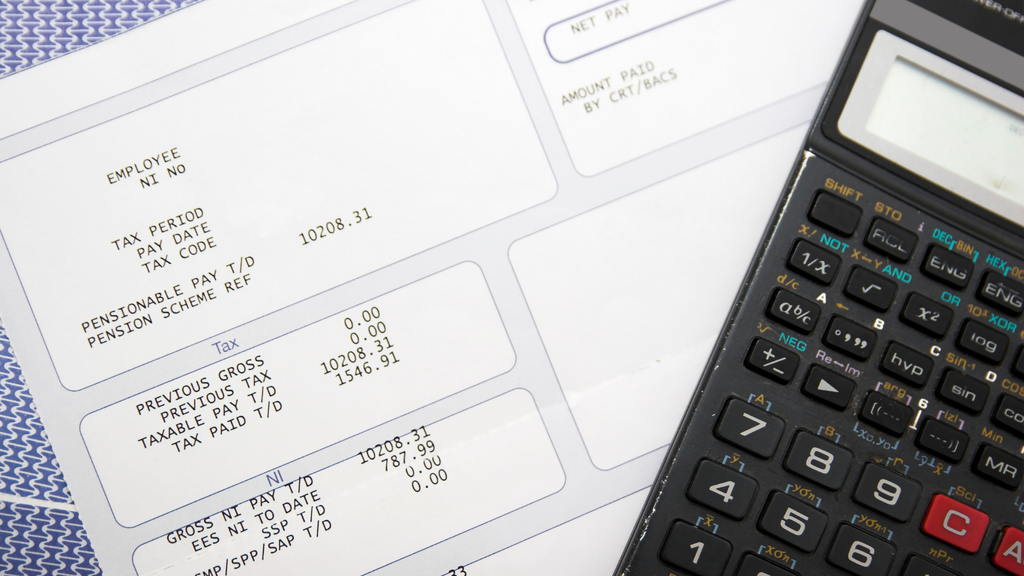
Most salary questions come from statements that are hard to read. A clear payslip answers the employee’s questions before they ask. It should show four blocks:
- Employee and period: name, employee ID, job title, department and the pay month.
- Earnings: basic salary, allowances, overtime, commissions and bonuses, each on its own line.
- Deductions: the employee’s social insurance share, income tax, absence deductions and any advances or loans being repaid.
- Net pay: the amount transferred, with the bank account’s last digits.
Here is a simplified example for an employee whose earnings are all insurable:
| Line | Amount (EGP) |
|---|---|
| Basic salary | 8,500.00 |
| Transport allowance | 1,000.00 |
| Overtime (6 hours) | 500.00 |
| Gross earnings | 10,000.00 |
| Social insurance (employee share, 11%) | (1,100.00) |
| Income tax | (as calculated) |
| Absence deduction (1 day) | (as calculated) |
| Net pay | Gross minus deductions |
The social insurance line uses the 2026 rate of 11% of the insurable wage, summarised by Mondaq. Tax and absence lines depend on your policy and the tax brackets, so they are left as formulas here.
Notice what makes this example easy to read: every deduction has its own line and its own reason. As a result, “why is my salary different?” usually answers itself.
The 5 Payslip Questions Employees Ask Most
Before changing tools, it helps to know what employees actually ask. In most HR teams, five questions account for nearly every message:
| Employee question | What usually causes it | What the payslip should show |
|---|---|---|
| “Why is my salary lower this month?” | An absence, an unpaid leave day or a loan repayment | Each deduction on its own line with the number of days |
| “Where is my overtime?” | Overtime approved after the payroll cut-off | Overtime hours and rate, plus a note when it moves to next month |
| “What is this social insurance deduction?” | A raise or new commission changed the insurable wage | The insurable wage used, not only the deduction |
| “Can you send me last year’s slips?” | No way to find old ones without HR | Access to the full history in a portal |
| “Is this the right bank account?” | Account changed but not updated in payroll | The last four digits of the account paid |
Read the right-hand column again. Almost every answer is a design choice on the payslip itself, not extra HR work. That is why the five steps below start with how statements are produced, then move to how employees reach them.
5 Smart Ways to Go Digital With Your Payslip Process
Generate Every Payslip From the Payroll Run
The first step is to stop building salary statements separately. When payroll runs in Zoho Payroll, each employee’s payslip is generated from the same calculation, so the document always matches the transfer. There is no copy-paste step where a number can go wrong.
Because the pay components are set up once, every statement also uses the same layout and wording each month. That consistency alone cuts down on questions.
Email All Payslips in One Click
Once the pay run is complete, Zoho Payroll can email them to everyone in that run at once. According to Zoho’s guide to downloading and emailing payslips, the “Send Payslip” option in the payroll history sends each employee their own copy.
That replaces a day of exporting and forwarding with a single action. Just as importantly, each one goes to the employee’s registered work email, not to whoever is in the group chat.
Give Employees a Self-Service Portal
The bigger win is letting employees help themselves. In the Zoho Payroll employee portal, staff can view their monthly salary details, see the detailed breakdown, download them, and filter by year to find older ones, as described in Zoho’s employee portal guide.
So when someone needs six months of salary slips for a bank loan, they download them themselves in a minute. HR is not involved at all. Our post on employee self-service in Zoho People shows how the same portal covers leave and personal data too.

Brand the Template and Use the Employee’s Language
A statement that looks official is trusted more. Zoho Payroll offers payslip templates that carry your logo and layout. For Egyptian teams, an Arabic version matters, especially for employees in operations, warehouses or branches who read Arabic more comfortably than English.
Choose one layout, test it with a few employees, and ask whether anything is unclear. Fix the wording before rolling it out to everyone.
Connect Payslips to Attendance and Leave
Many salary disputes are really attendance disputes: a missed punch, an unpaid day of leave, overtime that was never approved. When attendance and leave in Zoho People feed payroll directly, the deductions trace back to a record the employee can see.
Therefore the conversation changes from “HR made a mistake” to “here is the day it was recorded.” For the full flow, see Zoho People integration with Zoho Payroll.
Checklist for Switching to Digital Payslips
A change in how people receive their salary details needs care. Use this checklist to avoid confusion:
- Clean the employee data first. Check every work email and phone number before the first digital run.
- Run one month in parallel. Send both the old and new versions for the first month so employees can compare.
- Explain the new layout. Share a short guide showing where each line appears, in Arabic and English.
- Set up portal access before payday. Invite employees to the portal a week early, so login problems are solved before anyone needs one.
- Keep records in the system. Employee files must be kept for five years after someone leaves under the new labour law, so a digital history makes that easy. Our guide to HR and payroll software for Egypt covers the other compliance basics.
- Stop WhatsApp payslips completely. Once the portal works, make it the only channel. Mixed channels bring the old problems back.

Payslip FAQs
What should a payslip include in Egypt?
The employee and pay period, each earning on its own line, each deduction including social insurance and income tax, and the net amount paid.
Is a digital payslip as valid as a printed one?
For internal purposes, yes. If a bank or embassy asks for a stamped copy, HR can still print and stamp one from the system. Check each institution’s requirements.
How can employees get their old payslips?
With a self-service portal, employees filter by year and download past statements themselves, without asking HR.
Can payslips be sent in Arabic?
Yes. A payslip template can be set up in Arabic, which helps employees who are more comfortable reading Arabic.
Is it safe to send payslips on WhatsApp?
It is risky. They contain salary and personal data, and a message sent to the wrong number cannot be recalled. A portal or registered work email is safer.
Turn the Payslip Into a Non-Event
When every statement is generated from the payroll run, sent automatically and available on demand, payday stops being a week of interruptions. Employees get clear numbers, HR gets its time back, and personal data stays where it belongs.
Book a free payroll walkthrough with PyramidBITS and see a payroll run, from calculation to employee download, on data like yours. For more on the full HR setup, read our complete guide to Zoho HR in Egypt.