Introduction
A biometric attendance system only works if the punches it records reach your HR system cleanly. Many Egyptian companies buy a fingerprint or face device, put it at the door, and then discover the real work starts afterwards: exporting files, matching employee IDs, fixing missed punches, and rebuilding the month for payroll.
This guide gives you six checks to run before you choose or connect a biometric attendance system, including how punches should reach HR, how shifts and corrections work, and why Egypt’s data protection law matters for biometric data. It uses Zoho People as the working example.
What Is a Biometric Attendance System?
A biometric attendance system records when employees arrive and leave using something that is physically theirs: a fingerprint, a face scan or a similar identifier. The goal is accuracy. A person cannot hand their fingerprint to a colleague, so the system helps prevent buddy punching, where one employee clocks in for another.
The important point is that the device is only the front door. The system also needs to move punches into an HR platform, apply shift rules, handle exceptions and feed payroll. If any of those steps is manual, you still have a manual attendance process with a more expensive clock on the wall. You will also see this described as biometric attendance, a fingerprint attendance system or a biometric time clock.
Why a Biometric Attendance System Needs More Than a Device
The table below shows the difference between a standalone device and an integrated setup.
| Step | Device only | Integrated with HR |
|---|---|---|
| Record the punch | On the device | On the device |
| Get data to HR | Export a file, send it, import it | Automatic sync |
| Match employee IDs | Manually, every month | Mapped once |
| Apply shift and late rules | In a spreadsheet | In the HR system |
| Fix missed punches | Email and spreadsheets | Correction request with a record |
| Feed payroll | Retyped or re-imported | Flows to payroll |
6 Checks Before You Choose a Biometric Attendance System
Check 1: Pick the Right Biometric Method for Your Sites
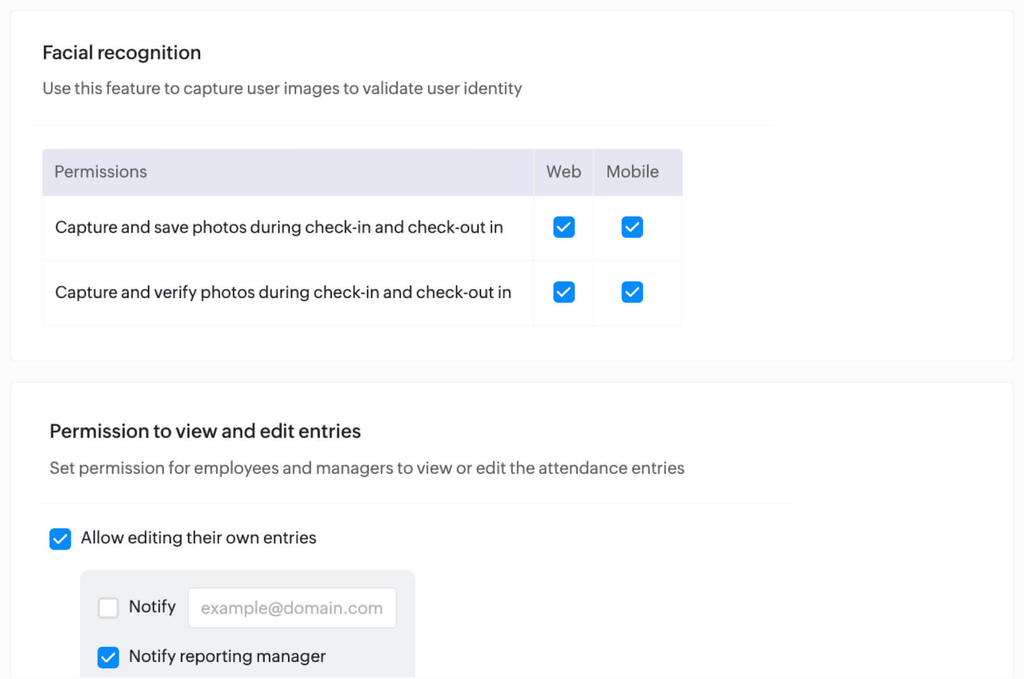
Not every workplace suits the same method. Fingerprint readers work well at fixed entrances but struggle with dusty, wet or manual-labour environments. Face-based check-in is contactless and can run on a phone or kiosk. Zoho People’s facial recognition offers capture-only mode, which saves a photo for review, and match-based mode, which approves the punch only if the photo matches the profile picture. Zoho notes that anti-spoofing through depth sensing and liveness detection works only on the listed devices, so test on the phones your team actually carries.
Check 2: Know How Punches Will Reach Your HR System
This is where most projects slow down. Zoho People documents two routes for biometric devices. In the API method, the biometric software pushes data straight to Zoho People, and Zoho advises confirming feasibility with the biometric vendor. That API has a threshold of 10 requests per minute with a five-minute lock period.
The plugin method uses a Java plugin on an Apache Tomcat server that reads punches from a SQL database, such as Microsoft SQL Server, Access or MySQL, and pushes them to Zoho People. Zoho’s plugin method guide says involving your IT team or biometric vendor is mandatory. Ask your vendor which route their device supports before you buy, not after.
Check 3: Map Device IDs to Employee IDs
A punch is useless if it cannot be matched to a person. The device’s employee IDs must match the IDs in your HR system. If they do not, Zoho People requires a mapping under Attendance, called Biometric ID Mapping. Clean this up early, especially for contractors and people who joined recently.
Check 4: Test Shifts, Late Rules and Corrections
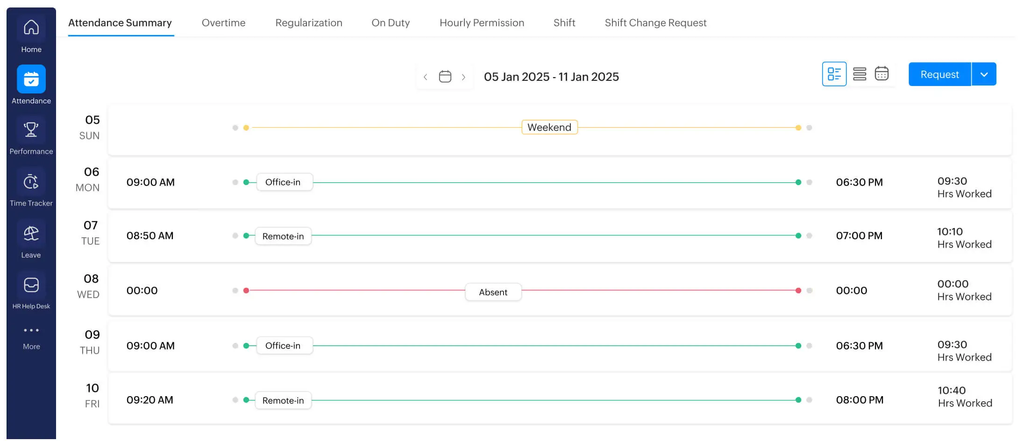
Attendance is not just in and out. Rotating shifts, grace periods and overnight work all change what a punch means. A guard who clocks in at 10 pm and out at 6 am crosses midnight, and a rule that only looks at calendar days will record two broken days instead of one shift. Multiple shifts must be mapped in the HR system for punches to be read correctly, according to Zoho’s guide. Also check how corrections work. Zoho People lets you regularize incorrect or missed entries, so the fix lives in the system with a record, not in a message thread.
Check 5: Plan for Sync Failures
Integrations fail quietly. Under the plugin method, the sync depends on the server hosting the biometric database, and an improper shutdown can corrupt the configuration. Zoho recommends backing up the config file, testing a single employee first, and including a download-date column in the query. Without it, Zoho cannot guarantee all records will be pushed. Assign someone to check sync health daily during the first month.
Check 6: Treat Biometric Data as Sensitive Data
This check is specific to Egypt. Egypt’s Personal Data Protection Law, No. 151 of 2020, lists biometric data among sensitive personal data. Under Article 12, processing sensitive data requires a licence from the Personal Data Protection Center, and written, explicit consent from the person, unless the law provides otherwise.
The executive regulations were issued in November 2025, and secondary sources report a one-year compliance period ending on 1 November 2026. That makes this a live question for any company collecting fingerprints or face data. This article is not legal advice. Before you roll out biometric attendance, ask your legal adviser how the licence and consent requirements apply to you, and decide who inside your company can see stored photos or templates.
Biometric Attendance System in Zoho People: What It Covers
Zoho’s attendance management page lists several ways to capture attendance: web and mobile check-in, IP and geofencing restrictions, facial recognition, People Kiosk for on-site workers, and biometric integrations to reduce false entries and buddy punching. Facial recognition is available in all editions, with minimum app versions on Android and iOS.
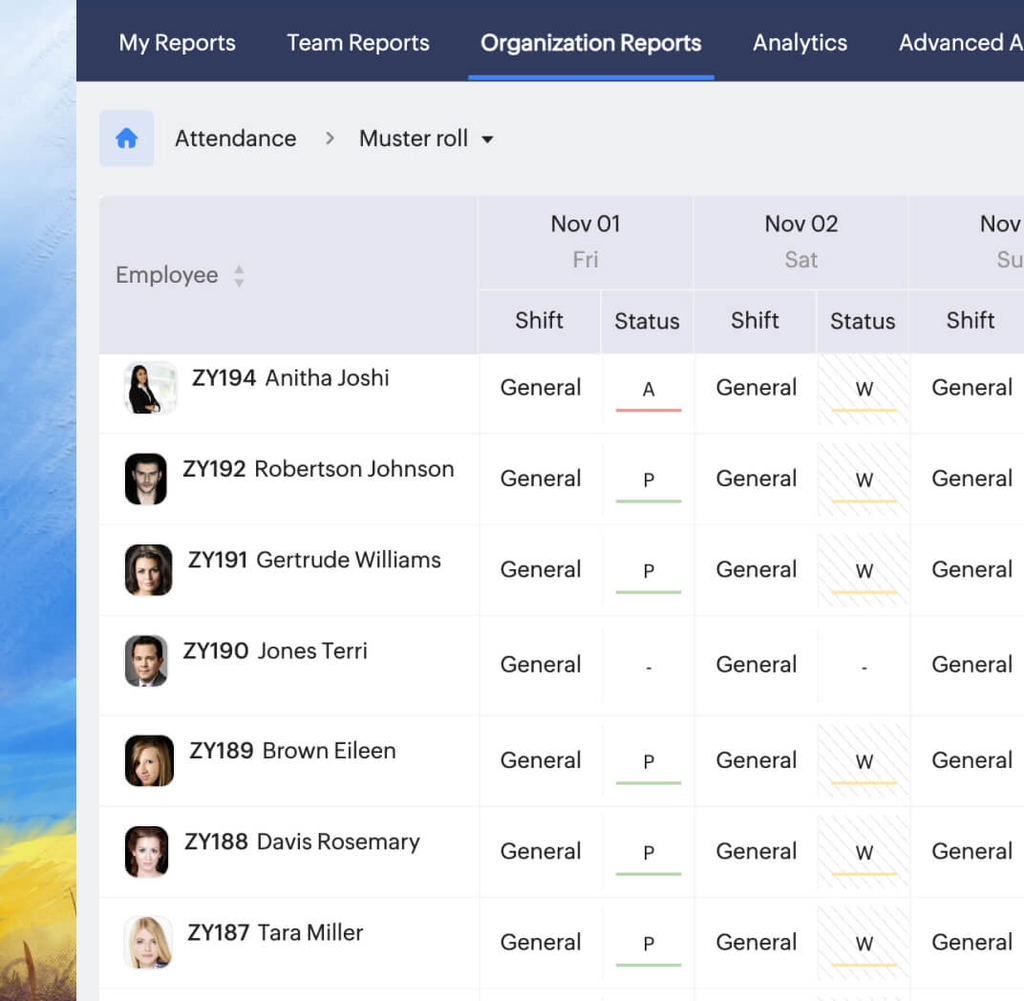
The reporting side is where HR gains time. Attendance summaries show early and late arrivals, attendance data for payroll and muster rolls, while leave and absence tools keep time off in the same place. That link to leave matters, which is why our Zoho People leave management guide is a good companion. When attendance feeds payroll cleanly, month-end gets calmer, as we explain in from hiring to payroll with Zoho HR Suite.
Think of this as the difference between a device and a full attendance management system. The device records the punch. The attendance management system decides what it means: on time, late, overtime, absent or pending correction. Zoho says its system calculates overtime details so payroll is easier to process, which only helps if the punches underneath are accurate. Employees can also see their own attendance and raise corrections through the self-service portal, which cuts the daily questions HR receives; our guide to the Zoho employee self-service portal covers how that works.
How to Roll Out a Biometric Attendance System
A pilot protects you from discovering problems company-wide, and it gives HR a safe place to learn how the biometric attendance system behaves with real people. A practical order looks like this:
- Clean the employee master data. Fix IDs, locations and employee types first.
- Choose the integration route with your vendor. Confirm API or plugin support in writing.
- Pilot with one site or department. Include a night-shift or rotating-shift group if you have one.
- Compare device logs against HR records for two weeks. Investigate every gap.
- Document the correction process. Everyone should know how to report a missed punch.
- Roll out site by site, with sync checks and a named owner.
[Insert Image 4 — alt text: “biometric attendance system pilot rollout plan across sites and shifts”]
Biometric Attendance System Mistakes to Avoid
- Buying the device before checking integration. The hardware may not support the route your HR system needs.
- Skipping ID mapping. Unmatched IDs create phantom absences.
- Ignoring missed-punch handling. Without a correction process, HR returns to spreadsheets.
- Forgetting data privacy. Biometric data is sensitive in Egypt; consent and access control are part of the project.
For a wider view of rolling out HR systems in the region, see our Zoho People implementation guide for MENA SMEs. If you want a short overview of what else Zoho People covers, read how Zoho People helps HR teams save time.
Frequently Asked Questions
What is a biometric attendance system? It is a system that records attendance using fingerprints, face scans or similar identifiers, and ideally passes the data to your HR system automatically to apply shifts, corrections and payroll rules.
Does biometric attendance stop buddy punching? It makes it much harder, because the identifier belongs to the person. Match-based face verification and device checks add further protection, but you still need clear policies and review.
Can Zoho People integrate with biometric devices? Yes. Zoho documents an API method and a plugin method. Which one fits depends on what your biometric vendor supports, and Zoho advises involving the vendor or your IT team.
Is biometric data regulated in Egypt? Egypt’s Law No. 151 of 2020 lists biometric data as sensitive personal data, which carries licence and consent requirements. Take legal advice on how it applies to your company.
Do I need a separate attendance system if I already have payroll software? Not necessarily, but payroll needs reliable attendance inputs. Connecting the two reduces retyping and mismatches.
Get Your Attendance Data Flowing
If your biometric device is installed but HR still fixes punches by hand, start with Checks 2 and 3. Our post on automating HR processes with Zoho People shows what the wider workflow can look like.
Book a free Zoho consultation with PyramidBITS and we’ll review your devices, shifts and current attendance process.