Introduction
Odoo implementation in Egypt should not start with software configuration. It should start with understanding how your business actually works.
Many companies decide to move to Odoo because their current tools are no longer enough. Sales is managed in one system. Accounting is handled somewhere else. Inventory is updated manually. Purchase orders are tracked on Excel. Approvals happen through WhatsApp. Management reports arrive late because every department works from a different source of data.
At that point, ERP becomes a serious business decision.
Odoo can connect CRM, sales, inventory, accounting, purchasing, manufacturing, HR, projects, eCommerce, POS, and operations in one ERP system. But the success of an Odoo project depends on preparation.
A good implementation does not simply copy your old process into new software. It reviews the current workflow, identifies gaps, defines the right modules, cleans data, decides what should be customized, trains users, and builds a clear rollout plan.
This is why ERP project planning matters.
Before starting an Odoo implementation project, Egyptian companies need to prepare their requirements, processes, data, team responsibilities, approvals, timeline expectations, and partner selection criteria.
This article explains what to prepare before starting your ERP project and how PyramidBITS can help you begin with a clear implementation plan.
Why ERP Projects Need Preparation Before Configuration
ERP affects the way the company operates every day.
It is not just an IT tool. It connects departments, approvals, data, reports, and responsibilities.
That is why starting with configuration too early can create problems. If the business process is unclear, the system setup will also be unclear. If the data is messy, migration will be difficult. If roles are not defined, approvals will be confusing. If the team is not trained, adoption will be weak.
A successful ERP implementation Egypt project should answer several questions before setup begins:
- What business problems are we trying to solve?
- Which departments will use Odoo first?
- Which workflows must be connected?
- Which reports does management need?
- Which data will be migrated?
- Which processes should be changed before implementation?
- Which customizations are really necessary?
- Who will approve decisions during the project?
- How will users be trained?
- What does success look like after go-live?
Without these answers, the project can become longer, more expensive, and harder to control.
Step 1: Define the Business Reason for Odoo

The first thing to prepare is the business reason.
Companies should not implement Odoo only because they want “an ERP.” They should define the operational pain clearly.
Common reasons include:
- Sales, inventory, and accounting are disconnected.
- Reports take too long to prepare.
- Inventory numbers are unreliable.
- Purchase orders are not controlled.
- Customer data is scattered.
- Manufacturing or production needs better tracking.
- Finance does not receive operational data on time.
- Approvals are happening outside the system.
- Management cannot see performance clearly.
- The business has outgrown Excel and separate tools.
This step matters because it defines the project direction.
A trading company may need Odoo to connect sales, inventory, purchase, and accounting. A manufacturer may need inventory, manufacturing, quality, purchase, and accounting. A service company may need CRM, projects, timesheets, invoicing, and finance.
Odoo is modular, but not every module should be implemented at once.
The clearer the business reason, the easier it becomes to define the right scope.
Step 2: Gather Requirements from Each Department
ERP requirements should not come from one person only. Odoo affects multiple teams, so requirements should be collected from the departments that will use the system.
This may include:
- Sales
- Finance
- Inventory and warehouse
- Purchasing
- Manufacturing
- HR
- Operations
- Customer service
- Project management
- Management
Each department should explain how it works today, what is painful, what is repeated manually, what reports are needed, and what decisions depend on data from other teams.
For example:
- Sales may need quotation approval, price lists, customer history, and delivery status.
- Warehouse may need stock locations, transfers, receipts, delivery orders, and barcode workflows.
- Finance may need invoices, vendor bills, tax reports, reconciliation, cost centers, and management reports.
- Purchasing may need supplier records, purchase requests, approvals, purchase orders, and expected receipts.
- Management may need dashboards, profitability reports, stock value, collections, and operational KPIs.
Good requirements gathering prevents the project from becoming a generic software setup. It helps the implementation partner understand the real business workflow.
Step 3: Map the Current Process Before Changing It
Process mapping is one of the most important parts of ERP project planning. Before implementing Odoo, the company should document how work happens today.
This includes steps such as:
- How leads become customers
- How quotations are created
- How sales orders are approved
- How stock is checked
- How delivery is prepared
- How purchase requests are created
- How supplier bills are received
- How invoices are issued
- How payments are recorded
- How month-end reports are prepared
The goal is not to document the current process because it is perfect. The goal is to understand it before improving it.
Many companies discover during process mapping that their problems are not only software problems. They may have unclear approvals, duplicated work, missing responsibilities, weak reporting rules, or inconsistent data entry.
Odoo implementation is a good opportunity to clean these workflows. But to improve a process, you must first see it clearly.
Step 4: Decide Which Odoo Modules to Start With
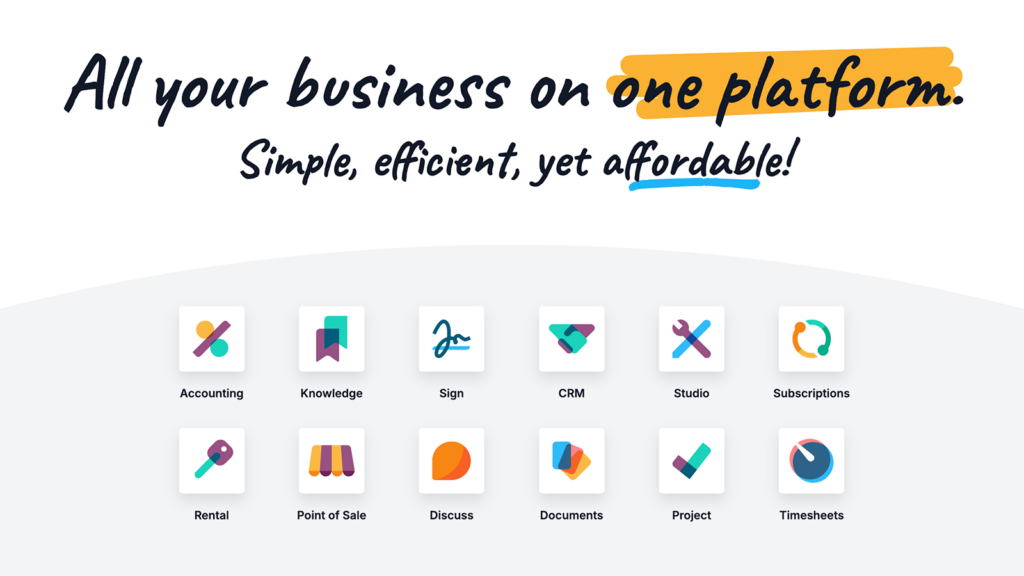
One of the biggest mistakes in ERP projects is trying to implement too much at once.
Odoo has many applications, including CRM, Sales, Inventory, Purchase, Accounting, Manufacturing, HR, Projects, POS, eCommerce, Helpdesk, and more. Official Odoo partner listings also present Odoo implementation partners by service capabilities such as Accounting, Inventory, Manufacturing, CRM, Sales, Purchase, Project, Website, eCommerce, POS, and Human Resources.
The right question is not “How many modules can we activate?”
The right question is “Which modules solve the most urgent business problem?”
For example:
A trading company may start with:
- Sales
- Inventory
- Purchase
- Accounting
A manufacturing company may start with:
- Inventory
- Manufacturing
- Purchase
- Quality
- Accounting
A service company may start with:
- CRM
- Sales
- Projects
- Timesheets
- Invoicing
A retail company may start with:
- POS
- Inventory
- Accounting
- Purchase
A phased implementation usually creates better results than launching everything at once.
It reduces complexity, improves adoption, and allows the company to stabilize the first workflow before expanding.
Step 5: Prepare Your Data for Migration
ERP data migration is one of the areas companies often underestimate.
Old systems usually contain years of data. Some of it is useful. Some of it is outdated, duplicated, incomplete, or inconsistent.
Before migrating data to Odoo, the company should review what should actually move.
Common data migration categories include:
- Customer records
- Supplier records
- Product master data
- Chart of accounts
- Opening balances
- Inventory quantities
- Price lists
- Employee records
- Historical invoices
- Open sales orders
- Open purchase orders
- Pending payments
- Stock locations
The company should also clean the data before migration.
This means removing duplicates, fixing naming inconsistencies, completing missing fields, reviewing inactive customers or products, and validating opening balances. Bad data creates bad ERP output.
If the company migrates messy data, Odoo will only make that mess more visible.
A strong Odoo partner Egypt should help define the data migration scope and prepare templates, validation rules, and migration testing before go-live.
Step 6: Be Careful with Odoo Customization
Odoo customization can be useful, but it should be handled carefully. Not every request needs customization.
Sometimes the standard Odoo workflow can solve the need. Sometimes the business process should be adjusted. Sometimes configuration is enough. Customization should be used when there is a real business reason that cannot be solved properly through standard features or configuration.
Odoo’s official developer documentation explains that modules can add new business logic or alter and extend existing business logic, which is powerful but also means customization changes how the system behaves.
Before requesting customization, the company should ask:
- Is this process truly unique?
- Can standard Odoo handle it?
- Can configuration solve it?
- Is the customization worth the cost?
- Will it affect future upgrades?
- Who will maintain it?
- Does it improve control or only copy an old habit?
Too much customization can make the system harder to maintain. Too little customization can force the business into a process that does not fit.
The right implementation partner helps the company find the balance.
Step 7: Define Roles, Permissions, and Approvals

ERP systems need clear access control. Before implementing Odoo, companies should define who can do what inside the system.
This includes:
- Who can create quotations
- Who can approve discounts
- Who can confirm sales orders
- Who can create purchase orders
- Who can approve supplier bills
- Who can view financial reports
- Who can change product costs
- Who can update inventory quantities
- Who can manage users and permissions
Approval workflows should also be documented.
For example, a company may need approval for:
- Discounts above a certain percentage
- Purchases above a certain amount
- Vendor payments
- Inventory adjustments
- Expense claims
- Credit notes
- Manufacturing orders
- Project budgets
If roles and approvals are unclear, the ERP system may either become too open or too restrictive.
A good implementation plan defines access based on responsibility.
Step 8: Prepare for Training and Change Management
Odoo implementation is not complete when the system is configured.
It is complete when users can do their daily work inside the system confidently.
Training should be planned before go-live.
Different users need different training:
- Sales teams need to learn leads, quotations, orders, and customer records.
- Warehouse teams need to learn receipts, deliveries, transfers, and stock adjustments.
- Finance teams need to learn invoices, bills, payments, reconciliation, and reports.
- Purchasing teams need to learn supplier records, purchase orders, and approvals.
- Managers need to learn dashboards, approvals, and reporting.
- Admin users need to learn user management and basic system control.
Many ERP problems after launch are not caused by the software itself. They happen because users were not trained properly or because old habits continued outside the system.
Change management should include clear instructions, practical user training, internal champions, and post-launch support.
Step 9: Set a Realistic Timeline

ERP implementation timelines depend on scope. A simple implementation with limited modules and clean data can move faster. A complex implementation with multiple departments, integrations, customizations, and messy data will take longer.
Timeline depends on:
- Number of modules
- Number of users
- Number of departments
- Data migration complexity
- Customization requirements
- Integration needs
- Approval cycles
- Testing rounds
- User training
- Decision-making speed from the client side
Companies should avoid unrealistic timelines. Rushing an ERP project can lead to poor setup, weak testing, user confusion, and post-launch problems.
A better approach is to create a phased timeline with clear milestones:
- Discovery
- Requirements gathering
- Process mapping
- Scope confirmation
- Configuration
- Customization if needed
- Data migration preparation
- User acceptance testing
- Training
- Go-live
- Post-launch support
This gives both the company and the implementation partner a clearer project structure.
Step 10: Prepare for Testing Before Go-Live
Testing is where the company confirms whether Odoo works according to the agreed workflow.
Testing should not be done only by the implementation team. Actual users should test the system using real business scenarios.
For example:
- Create a lead and convert it to a customer.
- Create a quotation and confirm a sales order.
- Check stock availability.
- Prepare a delivery.
- Issue an invoice.
- Record a payment.
- Create a purchase order.
- Receive products.
- Enter a supplier bill.
- Review the financial report.
Testing helps identify gaps before the system goes live.
It also helps users understand the workflow before they depend on it fully. A company should not skip testing to save time. Skipping testing usually creates more problems after launch.
Step 11: Choose the Right Odoo Partner in Egypt

Choosing the right partner is one of the most important decisions in the project.
Odoo itself lists implementation partners by country, including Egypt, which makes partner selection an official part of the ecosystem.
When choosing an Odoo partner Egypt, companies should look beyond license sales.
The right partner should understand business processes, data migration, workflow design, customization decisions, training, and post-launch support.
Important questions to ask include:
- Do they understand our industry?
- Can they map our processes before setup?
- Can they advise which modules to start with?
- Can they handle data migration properly?
- Can they explain when customization is needed?
- Can they train users by role?
- Can they support us after go-live?
- Can they communicate clearly with management and department heads?
- Are they focused on implementation outcomes, not only software activation?
ERP success depends heavily on the implementation approach.
A strong partner helps the company avoid over-customization, unclear scope, weak adoption, and messy go-live.
Why PyramidBITS for Odoo Implementation in Egypt?
PyramidBITS helps Egyptian and MENA businesses implement Odoo around real workflows.
The goal is not only to activate Odoo modules. The goal is to build an ERP system that fits how the business operates across sales, inventory, purchasing, accounting, manufacturing, projects, HR, and reporting.
PyramidBITS supports companies through:
- Discovery sessions
- Business process assessment
- Requirements gathering
- Module selection
- Workflow mapping
- Odoo configuration
- Odoo customization when needed
- ERP data migration
- User roles and permissions
- Testing and training
- Go-live support
- Post-launch optimization
This matters because ERP is not a one-screen project. It affects how departments coordinate every day.
With PyramidBITS, companies can start with a clear implementation plan before committing to a full ERP rollout.
What to Prepare Before Your First Odoo Discovery Call
Before speaking with an implementation partner, prepare a simple internal summary.
You do not need everything to be perfect. But the more clarity you bring, the more useful the discovery call becomes.
Prepare:
- Current systems used by each department
- Main pain points
- Number of users
- Departments involved
- Current reporting problems
- Inventory or finance challenges
- Data sources to migrate
- Needed integrations
- Custom workflow requirements
- Preferred go-live timing
- Key decision-makers
- Budget range if available
This helps the implementation team assess the project more accurately and recommend the right starting scope.
The discovery call should result in a clearer understanding of the business problem, implementation priorities, and next steps.
Common Mistakes to Avoid Before Starting Odoo
Many ERP projects become harder because of avoidable mistakes.
Here are the most common ones:
Starting Without Clear Scope
If the scope is unclear, the project will keep expanding. Define what will be included in phase one and what can wait.
Migrating Bad Data
Do not move messy data into the new system. Clean customer, supplier, product, accounting, and inventory data first.
Customizing Too Early
Try to understand the standard Odoo workflow before requesting customization. Some old processes may need improvement, not custom code.
Ignoring User Training
A system only works if people use it correctly. Training should be part of the project, not an afterthought.
Choosing Based on Price Only
The cheapest implementation can become expensive if the setup is wrong, users reject it, or reports cannot be trusted.
Treating ERP as an IT Project Only
ERP affects operations, finance, sales, inventory, and management. Department heads must be involved.
FAQs About Odoo Implementation in Egypt
What is Odoo implementation?
Odoo implementation is the process of setting up Odoo ERP for a company’s actual workflows. It includes requirements gathering, module selection, configuration, customization if needed, data migration, testing, training, and go-live support.
How long does Odoo implementation take?
The timeline depends on the project scope, number of modules, data quality, customization needs, integrations, user count, and client decision speed. A phased implementation is often better than launching everything at once.
What should we prepare before starting an ERP project?
You should prepare your current process map, department requirements, pain points, user list, data sources, reporting needs, approval workflows, integration needs, and expected timeline.
Do we need Odoo customization?
Not always. Many requirements can be handled through standard Odoo features or configuration. Customization should be used when there is a real business need that standard workflows cannot support properly.
What data needs to be migrated to Odoo?
Common ERP data migration includes customers, suppliers, products, chart of accounts, opening balances, inventory quantities, price lists, employees, open invoices, open sales orders, and open purchase orders.
How do we choose an Odoo partner in Egypt?
Choose an Odoo partner that can map business processes, guide module selection, handle data migration, advise on customization, train users, support go-live, and work as an implementation partner rather than only a software reseller.
Conclusion
Odoo implementation in Egypt can help companies move from disconnected tools to one integrated ERP system. But the success of the project depends on preparation.
Before starting, companies should define the business reason, gather department requirements, map current processes, select the right modules, clean data, review customization needs, define approvals, prepare users, and choose the right partner.
ERP implementation is not only about software. It is about building a better operating system for the business.
With the right planning and the right implementation partner, Odoo can help Egyptian companies connect sales, inventory, purchasing, accounting, manufacturing, projects, HR, and reporting in one controlled workflow.
Start Your Odoo Project with a Clear Plan
If your company is considering Odoo, the first step is not buying licenses. The first step is understanding your current workflow and building the right implementation plan.
PyramidBITS can help you assess your processes, define the right modules, prepare your data, and plan your Odoo implementation before the project begins.
Book a free Odoo discovery call with PyramidBITS and start your ERP project with a clear implementation plan.