Introduction
Excel worked fine when your company had five leads a week. Everyone knew the file, everyone knew the rules, and “final_v3_ACTUAL.xlsx” was mostly a joke. At fifty leads a week, that same spreadsheet becomes the thing quietly costing you deals — version conflicts, no automation, no real record of what happened when a rep is out sick. The CRM vs Excel question isn’t really about software features. It’s about whether your systems can keep up with how much your company has actually grown — and whether you’d actually know if they weren’t.
Why Excel Works Until It Suddenly Doesn’t
Nobody makes a conscious decision to run a sales operation on a spreadsheet forever — it just happens gradually. A small team tracks leads in a shared file because it’s free, familiar, and fast to set up. For a while, this is genuinely fine.
The problem isn’t Excel itself; it’s that spreadsheets don’t scale the way growing teams need them to. There’s no automatic distribution, no built-in follow-up tracking, no way to see the full picture without someone manually compiling it. And the errors compound quietly: peer-reviewed research summarized by Frontiers of Computer Science found that roughly 94% of operational business spreadsheets contain at least one error — the kind of thing that goes unnoticed until it costs a real deal or a real customer.
CRM vs Excel: What Actually Changes
Here’s the practical comparison, not a marketing feature list:
| Excel | Zoho CRM | |
|---|---|---|
| Lead capture | Manual entry, easy to forget or duplicate | Automatic from web forms, ads, WhatsApp |
| Follow-up tracking | Depends on individual memory or a color-coded column | Automated reminders, assignment rules |
| Version control | “final_v2” problems, no single source of truth | One live record everyone sees in real time |
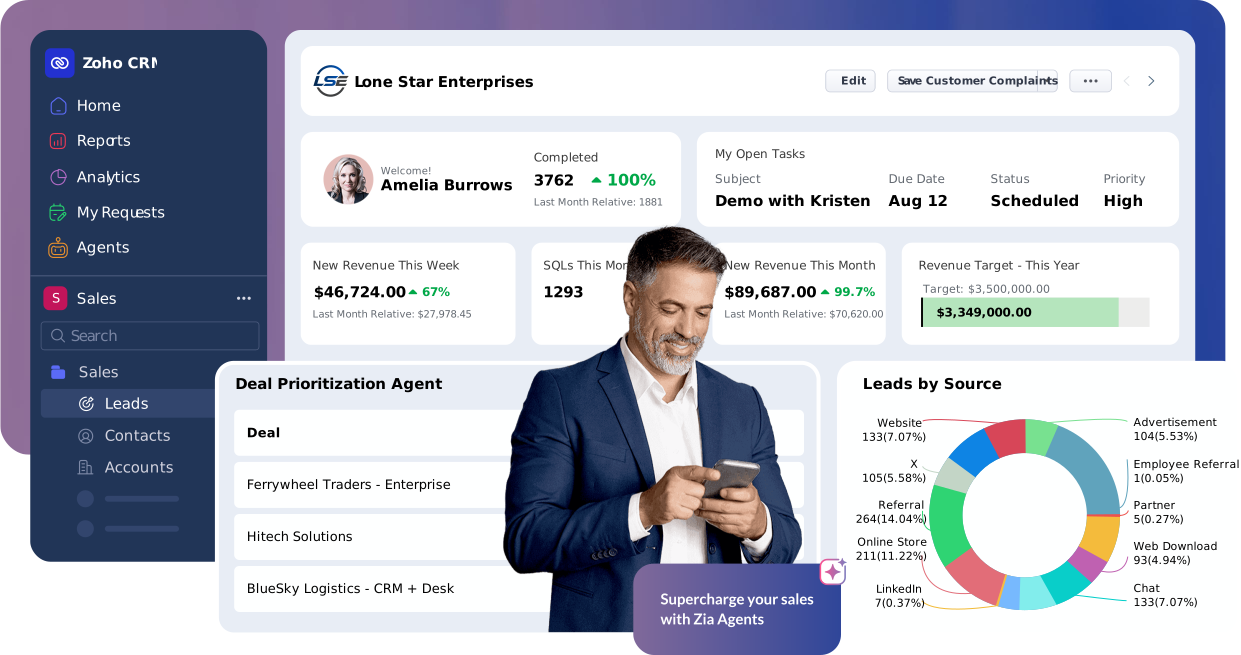
| Reporting | Manual compilation, usually monthly | Real-time dashboards |
| What happens when a rep leaves | Deal history often leaves with them | Fully retained in the CRM record |
| Scales past ~20–30 active deals | Breaks down — too many manual updates | Built for hundreds of concurrent deals |
| AI / prioritization | None | Zia AI scores and prioritizes automatically |
The gap isn’t about whether Excel is a “bad” tool — it’s genuinely good at what it was built for. It’s that customer relationship data has different requirements than financial modeling or inventory tracking, and a CRM is purpose-built for exactly those requirements.
4 Signs Your Company Has Outgrown Excel

Deciding the CRM vs Excel question for your own company usually comes down to these four signs, more than any single dramatic incident:
Nobody fully trusts the numbers anymore.
When two people pull different totals from “the same” spreadsheet because they’re working off different copies, the tool has stopped doing its job.
Follow-ups depend on someone remembering.
If there’s no automatic reminder system and follow-up quality depends entirely on individual discipline, leads are falling through cracks you can’t even see.
Reporting takes hours instead of seconds.
If someone spends part of every week manually compiling numbers for a report that a real system would generate instantly, that time has a real cost — even if nobody’s tracking it as one.
A departing employee takes institutional knowledge with them.
If losing one team member means losing visibility into their deals and relationships, the business is dependent on individuals in a way that doesn’t scale.
What Moving to Zoho CRM Actually Looks Like
The idea of migrating off Excel sounds more disruptive than it usually is in practice. A well-planned move typically looks like this: existing spreadsheet data gets cleaned and imported as structured CRM records, not just dumped in as-is. Lead and deal fields get mapped to match how your team actually talks about a sale, not a generic template. The team gets trained on the new system before the old spreadsheet is retired, so there’s no gap where nobody knows where the real data lives.
And for a genuinely small team — a handful of people, simple pipeline — it’s worth knowing that Zoho also offers Bigin, a lighter, pipeline-focused CRM built specifically for businesses graduating from spreadsheets, with a later upgrade path to full Zoho CRM once complexity (Blueprints, Zia AI, deeper customization) is actually needed.
We say this even though our focus is Zoho CRM implementation, because recommending the right-sized tool matters more than recommending the bigger one — a mismatch between company size and system complexity causes almost as much frustration as staying on Excel too long.
The PyramidBITS Implementation Angle
A rushed migration off Excel often just recreates spreadsheet habits inside a CRM — messy data, no real structure, a system that looks different but works the same broken way. PyramidBITS’s approach avoids that:
- Auditing existing spreadsheet data before migration, cleaning duplicates and inconsistencies rather than importing the mess as-is.
- Mapping fields to match your real sales process, not a generic import template — the same discipline covered in our piece on why growing sales teams outgrow spreadsheets, which goes deeper into the underlying signs.
- Sequencing the rollout so the team isn’t maintaining both systems indefinitely — a clear cutover date, not an endless parallel-running period.
- Training before cutover, not after, so there’s no gap where confidence in the new system hasn’t been built yet. Our complete Zoho CRM implementation guide and implementation partner guide cover the full rollout sequence in more depth.
- Setting up reporting from day one, since this is usually the single biggest time-saver teams notice first. Our guide to advanced analytics in Zoho CRM covers what’s possible once the data actually lives in one system.
Practical Next Steps
Before starting a migration, these steps make the process faster and less disruptive:
- Export your current spreadsheet and count how many duplicate or conflicting entries exist. This tells you how much cleanup is really needed before import.
- List the fields your team actually uses, not every column that’s ever existed in the file — a lean, accurate CRM setup beats a bloated one copied field-for-field from Excel.
- Pick a hard cutover date rather than “we’ll migrate gradually” — parallel systems tend to never fully retire the old one.
- Identify who owns data quality after migration. A CRM without an owner drifts back toward spreadsheet-style chaos within months.
FAQs
Is Zoho CRM better than Excel for a small sales team?
It depends on team size and complexity. Very small teams with simple needs may be well served by Bigin, Zoho’s lighter CRM built for exactly this transition. Teams with more complex pipelines, multiple products, or a real need for automation and AI scoring benefit more from full Zoho CRM.
How long does migrating from Excel to Zoho CRM take?
For most SMEs, a properly scoped migration — including data cleanup, field mapping, and team training — takes a few weeks, not months, assuming the underlying spreadsheet data isn’t excessively messy.
Will we lose historical data when migrating from Excel?
No, as long as the migration is planned properly. Historical records are imported as structured CRM data rather than dropped, preserving deal history and customer notes rather than starting from zero.
What’s the real cost of staying on Excel too long?
It’s rarely one dramatic incident — it’s the accumulated cost of lost leads from missed follow-ups, hours spent manually compiling reports, and knowledge that disappears when someone leaves. None of this shows up as a single line item, which is exactly why it’s easy to underestimate.
Do we need to migrate everything at once, or can it be done in stages?
It can be staged, but a clear timeline matters more than the exact approach — open-ended “gradual” migrations are where teams get stuck running two systems indefinitely, which usually costs more than committing to a defined cutover date.
Is the CRM vs Excel decision only about cost, or does team size matter too?
Team size matters more than cost in most cases. A two-person sales team might genuinely be fine on a well-organized spreadsheet a while longer; a fifteen-person team with hundreds of active deals almost never is, regardless of budget. The CRM vs Excel decision is really a question of how much manual coordination your current headcount can still absorb.
Book a Free Zoho CRM Demo
If your team is still running sales on a spreadsheet that’s grown past what Excel was ever meant to handle, that transition doesn’t have to be disruptive.
Book a free Zoho CRM demo with PyramidBITS and see what a properly planned migration actually looks like for your data.