Introduction
In Egypt, sales conversations don’t happen over email. They happen on WhatsApp — the follow-up, the price negotiation, the “send me the brochure,” the final “OK let’s do it.” WhatsApp reaches roughly 56 million users in Egypt, and it’s the default channel for business communication across the country, not a secondary one.
A whatsapp crm setup exists for exactly one reason: to stop that entire conversation from living only on a sales rep’s personal phone, invisible to the CRM, the manager, and the company the moment that rep is unavailable.
Why Ignoring WhatsApp Isn’t a Realistic Option in Egypt
Some CRM implementations try to push customers away from WhatsApp and toward email or a ticketing portal instead. In the Egyptian market, this doesn’t work — customers expect to negotiate, ask questions, and get instant responses over WhatsApp, and forcing a channel switch usually just loses the conversation entirely.
The realistic approach isn’t fighting WhatsApp. It’s integrating it, so the channel customers actually prefer becomes part of the structured sales process instead of sitting outside it. This isn’t unique to any one industry — it shows up in real estate negotiations, B2B follow-ups, retail customer service, and everything in between, wherever Egyptian customers are the ones setting the communication norms.
What Is a WhatsApp CRM?
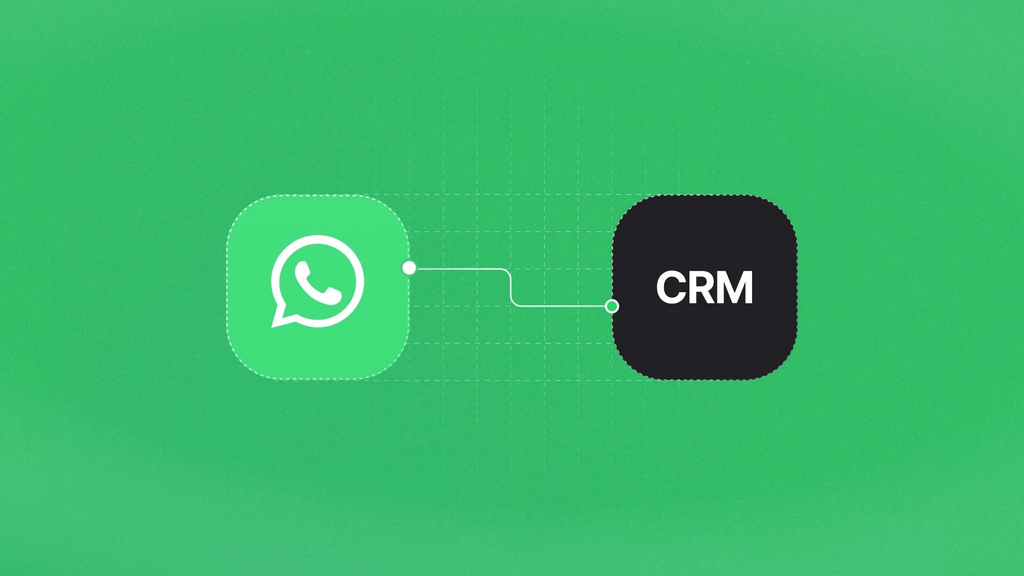
A WhatsApp CRM is a customer relationship management system that captures, logs, and tracks WhatsApp conversations as part of the same pipeline as every other lead source — instead of leaving those conversations stranded on an individual phone with no connection to deal records, lead history, or team visibility. Done properly, a WhatsApp crm doesn’t replace how your team already communicates. It just makes that communication visible to everyone who needs it.
5 Ways a WhatsApp CRM Changes How Your Sales Team Works
Every conversation gets logged automatically.
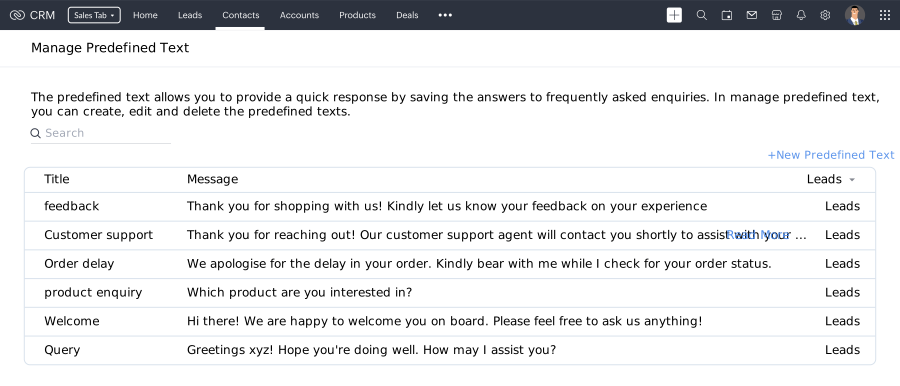
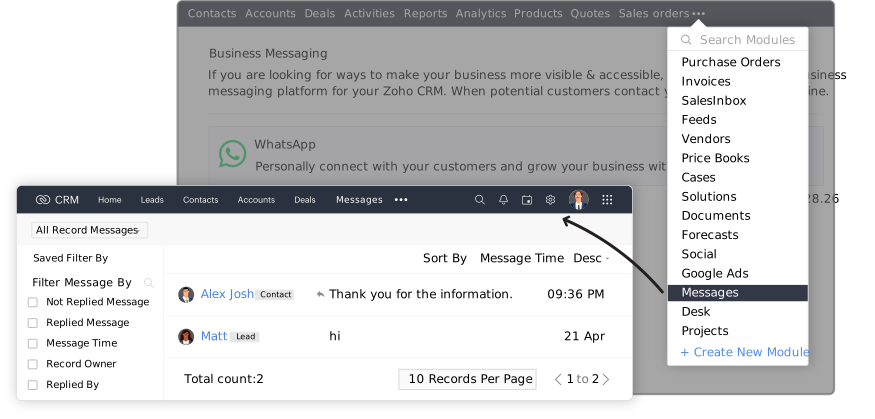
Messages sent and received through WhatsApp Business get attached directly to the relevant lead or deal record — no more relying on a rep’s memory of what was discussed three weeks ago.
New WhatsApp inquiries become leads instantly.
A first-time WhatsApp message from a potential customer can automatically create a new lead record, instead of sitting in a chat thread until someone remembers to add it manually.
Templates and automated responses stay on-brand.
Pre-approved WhatsApp message templates can be sent directly from the CRM, keeping responses fast and consistent instead of reps writing similar replies from scratch dozens of times a day.
Managers get real visibility without micromanaging.
Deal history stops disappearing when a rep is on leave or leaves the company — the conversation lives in the CRM record, not in one person’s phone.
WhatsApp data feeds the same reports as everything else.
Response times, conversation volume, and conversion from WhatsApp inquiries show up in the same dashboards as email and call data, instead of being an invisible gap in reporting.
How Carina Used WhatsApp + CRM to Increase Customer Interaction by 25%
Carina, a retail and fashion business, needed better customer relationship management and more consistent communication across channels. PyramidBITS implemented Zoho CRM as the centralized customer database, connected WhatsApp integration alongside SMS Magic for wider reach, and added Zoho Survey to collect feedback directly into CRM-linked customer profiles.
The results: a 40% increase in data accuracy and accessibility, a 25% increase in customer interaction rates, and a 30% higher survey response rate — all driven by consolidating communication channels, including WhatsApp, into one system customers and staff both actually used.
The Technical Reality — How WhatsApp Actually Connects to Zoho CRM
It’s worth being direct about this rather than oversimplifying: Zoho CRM’s native WhatsApp integration lets you log conversations, send template messages, and get notified of new customer messages directly inside CRM records. For higher message volume, broader automation, or multi-agent shared inboxes, many implementations — including Carina’s — layer in a dedicated messaging platform like SMS Magic on top of the native integration, connected via WhatsApp Business API.
Which setup is right depends on your message volume and team size, not a one-size-fits-all answer — this is exactly the kind of decision that should be made during implementation planning, not guessed at after go-live.
The PyramidBITS Implementation Angle
A WhatsApp CRM integration configured badly creates more noise than value — notifications nobody acts on, templates nobody uses, a “feature” the team quietly routes around. PyramidBITS’s implementation approach includes:
- Assessing actual message volume and team structure first, to determine whether native Zoho WhatsApp integration is sufficient or a platform like SMS Magic is worth adding, the same evaluation behind Carina’s setup.
- Configuring lead capture rules so first-time WhatsApp messages become CRM records automatically, matching the lead-capture logic covered in our complete guide to Zoho CRM for real estate, where WhatsApp-based negotiation is the norm.
- Building message templates that match how your team actually communicates, not generic canned responses nobody would actually send.
- Training the sales team on logging conversations consistently — the integration only delivers visibility if reps actually use it, the same discipline gap we cover in our guide on why real estate companies lose leads when WhatsApp conversations go untracked.
- Connecting WhatsApp data to broader CRM workflows, since B2B teams especially rely on WhatsApp alongside formal channels — our complete guide to Zoho CRM for B2B sales covers how this fits into longer, more complex sales cycles.
This is one piece of a larger rollout, not a standalone add-on — our Zoho CRM implementation partner guide covers where WhatsApp integration fits into a full CRM setup from day one.
Practical Next Steps
Before configuring any WhatsApp integration, these steps will clarify what you actually need:
- Count how many WhatsApp conversations your sales team handles weekly. This determines whether native integration is enough or a dedicated platform is worth the added cost.
- Ask reps where deal-relevant WhatsApp conversations currently live. If the honest answer is “on my phone,” that’s the visibility gap this integration needs to close.
- Identify your 5–10 most common WhatsApp responses. These become your first template set, saving real time from day one.
- Check what happens to WhatsApp history when a rep leaves the company. If the answer is “it’s gone,” that’s a business continuity risk worth fixing regardless of anything else.
None of these four checks require any technical setup — they’re diagnostic questions any sales manager can answer from memory within a few minutes, and together they’ll tell you exactly how big the gap actually is.
FAQs
What is a WhatsApp CRM?
A WhatsApp CRM is a customer relationship management system that logs and tracks WhatsApp conversations as part of the same pipeline as other lead sources, giving teams and managers visibility into communication that would otherwise stay on an individual’s personal phone.
Does Zoho CRM have native WhatsApp integration?
Yes. Zoho CRM offers native WhatsApp Business integration for logging conversations, sending template messages, and receiving notifications. Higher-volume teams often add a dedicated platform like SMS Magic on top of this for broader automation.
Is WhatsApp integration only useful for customer support, or does it help sales too?
Both. For sales specifically, it means every negotiation, follow-up, and inquiry conducted over WhatsApp becomes visible CRM data — tied to a lead or deal record — instead of disappearing into a personal chat thread.
Can WhatsApp messages automatically create new leads in Zoho CRM?
Yes, when configured correctly. A first-time WhatsApp message from a new contact can trigger automatic lead creation, rather than requiring a rep to manually add it after the fact.
How long does WhatsApp CRM integration take to set up?
Native integration can be configured in days. Adding a broader messaging platform like SMS Magic for higher volume or multi-agent needs takes longer, depending on message volume and required automation — usually a few weeks for a properly scoped implementation.
Will customers notice anything different once WhatsApp is connected to the CRM?
No — and that’s the point. Customers keep messaging the same WhatsApp number the same way they always have. The change happens entirely on the business side: conversations become visible, searchable, and tied to a lead or deal record instead of disappearing into a personal chat thread the moment the conversation ends.
Book a Free Zoho CRM Demo
If your team’s most important sales conversations are happening on WhatsApp but living nowhere near your CRM, that’s a visibility gap worth closing.
Book a free Zoho CRM demo with PyramidBITS and see what WhatsApp integration looks like done properly.